Just say what you spent.
Expenbot turns a quick sentence into a tidy expense — category, merchant, date and all. Private, on-device, no account needed.
Requires an iPhone with Apple Intelligence. Available in English. Learn more

How it works
Logging an expense takes about three seconds.
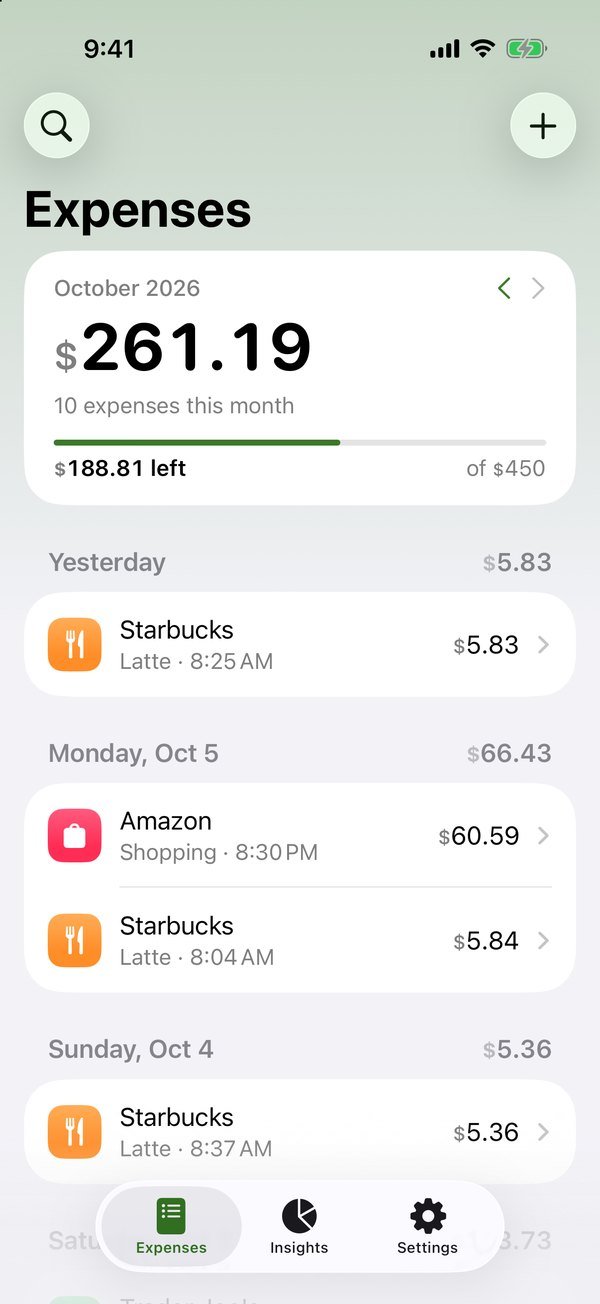
Tap +
Expenbot starts listening right away.
Say it naturally
“Groceries, 62.40.” Mention several purchases at once if you like.
Check and save
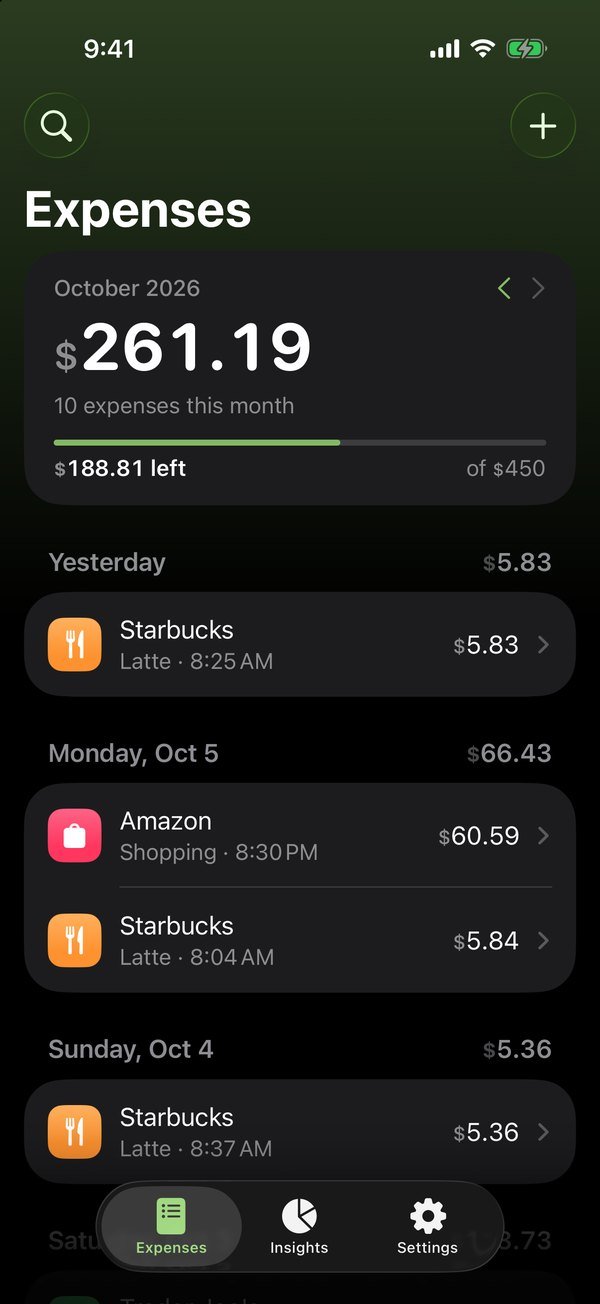
Expenbot fills in the amount, category, merchant and date. Fix anything with a tap.
Four ways to log
However you remember it, Expenbot gets it down.
Speak Default
The default. Talk like you would to a friend.
Type
Type a quick note — “coffee 4.50, parking 12”.
Photo
Pick a receipt or payment screenshot from your library.
Scan
Point your camera at a paper receipt. Expenbot finds the total.
Whatever you choose, every expense opens in a review screen first — fix anything with a tap.
Expenbot learns your habits — once you file your gym under Health, it remembers.
Insights
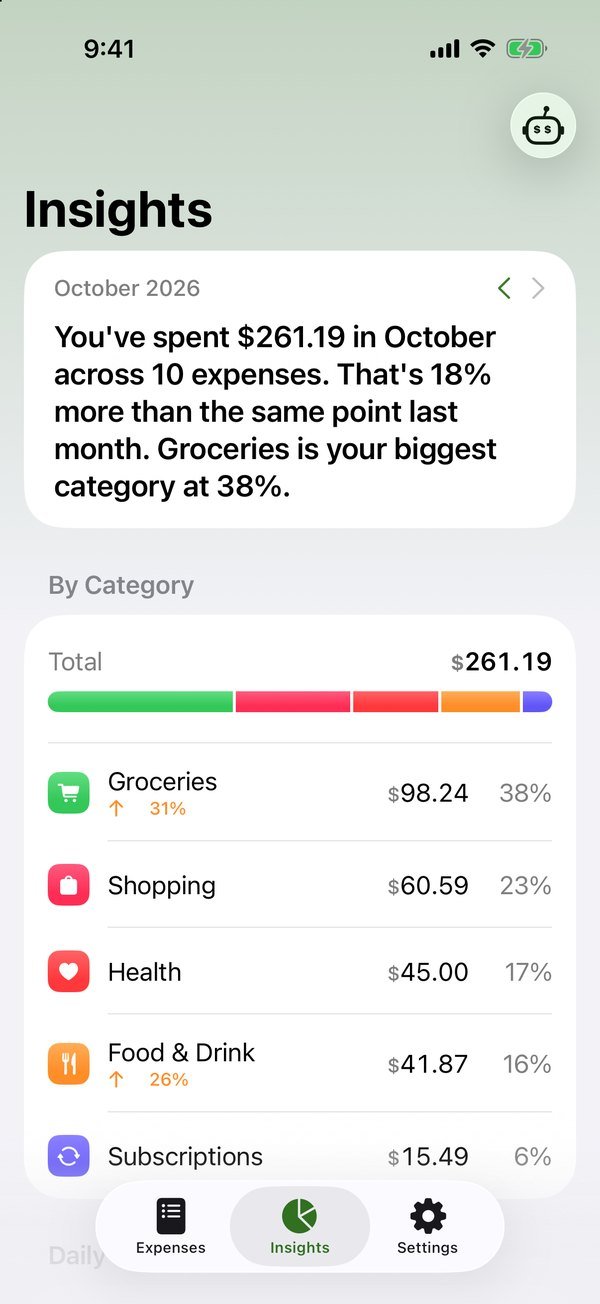
See where your money goes — without building a spreadsheet.
- A monthly summary written for you. Apple Intelligence explains how your month is going and gives one practical suggestion.
- Spending by category, with what changed since last month.
- Your pace. Average per day, projected month-end total, and how much is left per day to stay on budget.
- Biggest expenses and a 6-month trend you can tap through.
- Due this week — upcoming subscription charges before they hit.
Ask Expenbot
Ask about your money. Out loud.
Tap the Expenbot button and ask. Answers come from your own data, right on your iPhone.
Ask Expenbot sticks to your spending, budgets and saving tips — it won’t wander off topic.
Budgets & subscriptions
Stay ahead of your spending.
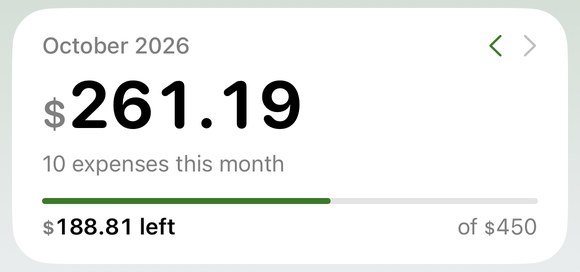
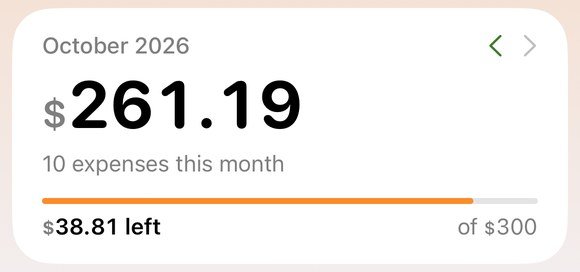
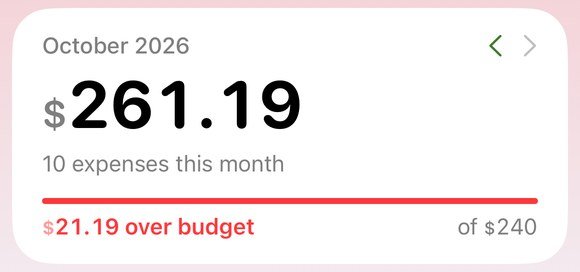
Set a limit, get a heads-up.
Monthly budgets for all spending or per category. Expenbot nudges you at 80% and 100%, and the top of the app shifts color so you can tell at a glance.
Find the charges you forgot about.
Expenbot spots payments that repeat — streaming, the gym, cloud storage — shows what they cost per month, and can remind you before they renew.

Detected from charges that repeat at a steady interval.
Multi-currency
Every currency. Your home currency.
Log in euros, yen, pounds or pesos — whatever you paid in. Choose your home currency and totals convert using rates you set. Expenbot never needs the internet to do the math.
Privacy
Your finances stay yours.
No account.
Open the app and start. No email, no sign-up.
No bank connection.
You decide what gets logged.
Processed on device.
Apple Intelligence runs on your iPhone — your notes, voice and receipts aren’t sent to our servers. We don’t have any.
Your iCloud, your choice.
Back up and sync through your private iCloud, or keep everything on this iPhone. Add Face ID lock for extra peace of mind.
Works offline.
Log, scan and ask without a connection. Only optional iCloud sync uses the internet.
Export everything to CSV anytime. It’s your data.
Integrations
Built into your iPhone.
Siri & Shortcuts
“Log an expense in Expenbot.”
Widgets
What you’ve spent today and this month, on your Home Screen.
Control Center
Start a voice log or scan a receipt with one tap.
Share Sheet
Send a receipt screenshot straight to Expenbot.
Light & Dark
Light & Dark mode and adjustable text size.
FAQ
Questions, answered.
Which languages and countries are supported?
Which iPhones does Expenbot work on?
Do I need an account?
Is my data sent anywhere?
Does Expenbot work offline?
Does it connect to my bank?
Can I use different currencies?
What if Expenbot gets something wrong?
How much does it cost?
How do I get help?
Stop tracking. Start talking.
Download Expenbot and log your next expense in seconds — in any currency, anywhere.
Download on theApp Store